
Machine-ready laser files
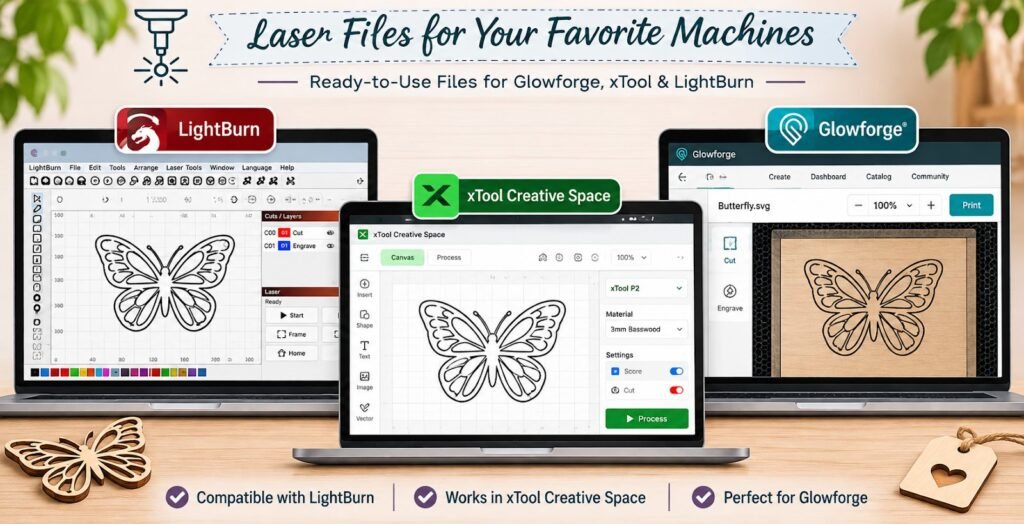
We make custom laser files that open ready to run in Glowforge, xTool Creative Space and LightBurn. Cut, score and engrave are already separated by colour, text is outlined, and the artwork fits your bed — so you spend your time making, not fixing files.
Glowforge files, xTool laser files and LightBurn files all need slightly different preparation. We make laser files for Glowforge, xTool and LightBurn that load with the right colours, layers and sizes, so you can go from download to cutting without rebuilding the file.
| Price | Quoted per design — send your artwork for a price |
| Software | Glowforge app, xTool Creative Space (XCS), LightBurn, Inkscape, Illustrator |
| Lasers | Diode, CO2 and fiber |
| File formats | SVG, DXF, PNG, PDF and AI |
| Delivery | By email, after you approve a proof |
How each program reads a file
| Software | Files it accepts | How we set it up |
|---|---|---|
| Glowforge app | SVG, PDF, PNG, JPG | Each stroke colour becomes its own step, so cut, score and engrave arrive as separate operations |
| xTool Creative Space | SVG, DXF, PNG, JPG, PDF | Layers grouped by operation; sized in millimetres to your machine bed |
| LightBurn | SVG, DXF, AI, PDF, PNG and more | Colours map to LightBurn layers; LightBurn project files on request |
| CNC and industrial software | DXF | Clean polylines, no stray points or overlaps |
Glowforge files
The Glowforge app reads an SVG by stroke and fill colour, then lists each colour as a step. We give every operation its own colour and name the steps clearly, so a design with a cut outline, a scored detail and an engraved fill shows up as three ready steps. We also keep designs inside the printable area and, for larger pieces, split them for Pro passthrough on request.
xTool files
xTool Creative Space works for the xTool range of diode, CO2 and infrared lasers. We deliver SVG and DXF sized to the bed of your machine, with engrave fills and cut lines on separate layers, and PNG engraving images at the resolution your module handles best.
LightBurn files
LightBurn assigns operations by colour layer. We use a consistent colour scheme for cut, score and fill, close every path, remove duplicate lines that would cut twice, and can supply a LightBurn project file with the layers already named.
Diode, CO2 and fiber lasers
- Diode lasers engrave wood, leather, slate and coated metals, and cut thin wood. We keep detail a touch bolder for their larger spot size.
- CO2 lasers cut and engrave wood, acrylic, glass, leather and paper. We set cut paths with your measured kerf in mind.
- Fiber lasers mark metal with very fine detail. We prepare tight hatch fills for crisp metal marking.
What we check before sending
- Every cut path closed and joined, with no duplicates
- Text converted to outlines so fonts never go missing
- Artwork sized to your material and bed
- Small islands and details that would fall out of a cut flagged or bridged
- Raster images at 300 to 600 DPI, in black and white or prepared grayscale
Glowforge SVG and Glowforge cut files
The Glowforge app reads operations by colour, so every Glowforge SVG we make separates cuts, scores and engraves into clearly coloured groups and is set at its true size. Glowforge engraving files for shaded art are supplied as PNG alongside the vector. Glowforge laser designs that assemble have their slots sized for Proofgrade-style thicknesses, or for the material you name.
xTool Creative Space files and xTool SVG files
For xTool Creative Space files we group elements by process and check that text has been converted to paths, so nothing shifts when the file opens on another computer. xTool SVG files, xTool PNG engraving files and xTool DXF files work across the xTool range, including diode and CO2 machines, with rotary-ready versions for tumblers when needed.
LightBurn project files and LightBurn compatible designs
We can supply a LightBurn SVG, a DXF, or a LightBurn project file with layers already assigned. LightBurn engraving designs come with suggested layer modes (line, fill or image) so you only set power and speed for your machine. The same LightBurn compatible designs open in other laser software, such as RDWorks, through DXF.
Diode laser files, CO2 laser files and fiber laser marking designs each get a check for detail size, so the design suits the beam you have.
Common questions
Do you sell Glowforge or xTool project bundles?
We are building a library of ready-made designs. Today every file is made to order for your project.
Can you fix a file that will not import?
Yes. Send it with a screenshot of the error and we will repair or rebuild it.
Will a file made for Glowforge work in LightBurn?
A clean SVG works in both. We set it up for the software you name, and can supply both versions.
Will a file made for Glowforge work in LightBurn?
Usually yes, because both open SVG. We still check colours, units and sizes so it opens at the right scale in each program.
Do you include power and speed settings?
Settings vary by machine and material batch, so we give a starting point and recommend a test burn.
Get a free quote
Send us your artwork or idea, your laser and software, and the material. Choose “Vector art” as the product and mention your machine, and we will come back with a price. If you cannot attach artwork here, email it to hello@sewwhatembroiderydesigns.com.